Chart of Accounts
Go to: Financials → Setup → Chart of Accounts
The Chart of Accounts is the organized list of accounts used by every ledger entry.
Account hierarchy
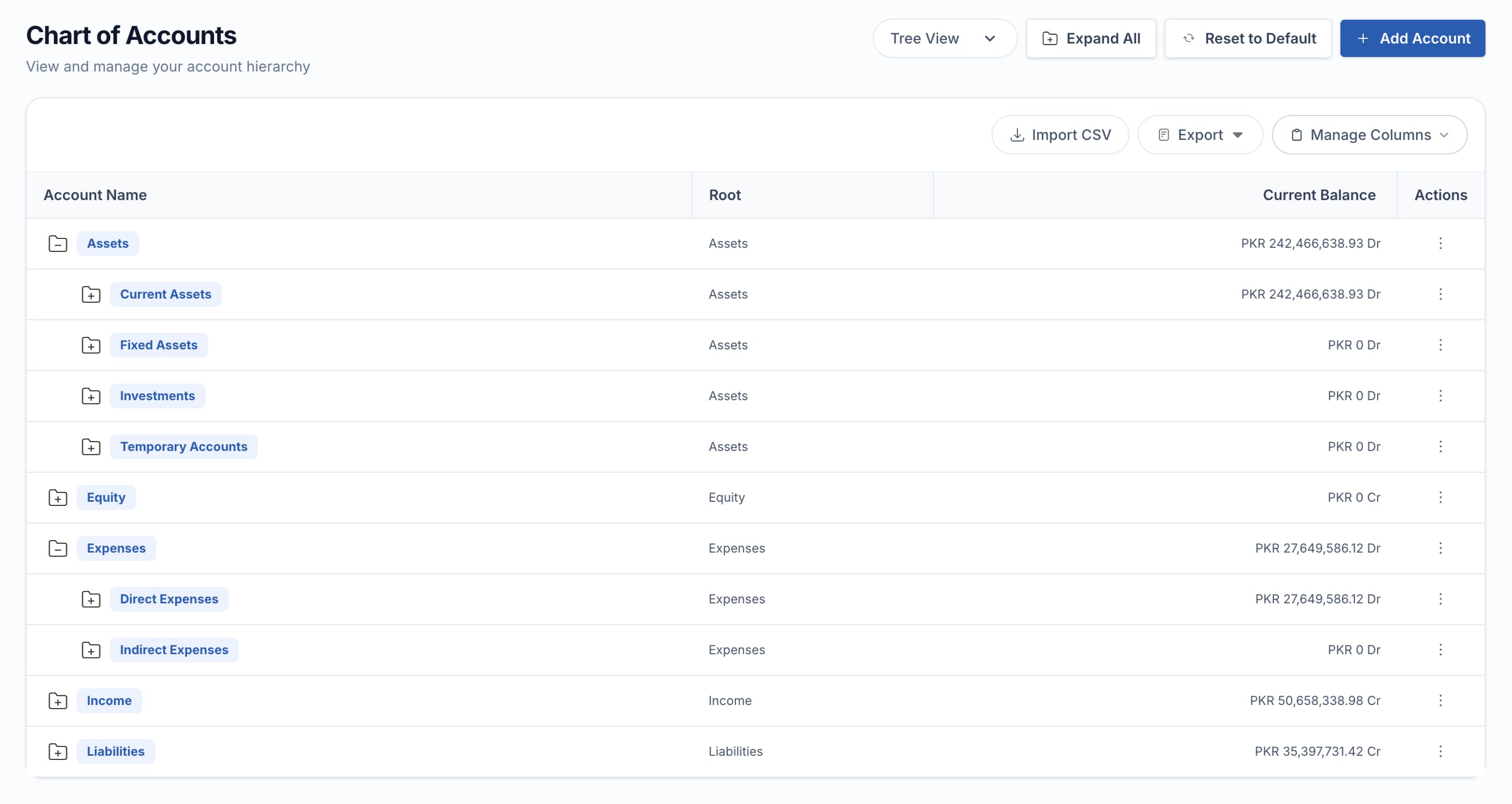
Group accounts organize the tree. Transactions post only to non-group accounts.
Create an account
Choose its position
Open Tree View and use Add Child on the intended parent, or click New and select Parent Account.
Enter account details
Complete the account name, number/code, type, currency, group and active settings, and description.
Add specialized details
For a bank account, select Bank and Branch. Use Include in Report when the account should appear in the applicable reports.
Save and review
Save, then confirm its location in Tree View.
| Field | Meaning |
|---|---|
| Account Name | Required account title |
| Account Number / Account Code | Reporting identifier; code can be generated when omitted |
| Account Type | Business purpose such as Bank, Receivable, Payable, Income, or Expense |
| Parent Account | Parent group in the hierarchy |
| Currency | Account currency |
| Is Group | Organizes child accounts and cannot receive postings |
| Is Active | Controls new use while preserving history |
| Opening Balance | Starting balance where the setup workflow permits it |
| Bank / Branch | Optional link for Bank accounts |
| Include in Report | Includes the account in relevant reporting |
| Description | Purpose and usage guidance |
Opening balances
Use the supported Opening Entry workflow rather than changing current balances manually. Opening entries must balance and should use the first appropriate date in the fiscal year.
Do not post to a group account or delete an account with accounting history. Make an unused account inactive so historical reports remain intact.
Accounts and dimensions
Accounts answer what the transaction represents. Cost Centers and Projects answer where or why it occurred. See Accounting Dimensions.
Verify an account
Use Accounts Ledger to review activity and Ledger Balance to confirm its balance.
Related pages
- Accounting Dimensions — add Cost Center and Project analysis on top of accounts
- Fiscal Year — set up before accounts are used for posting
- Ledgers — verify an account’s activity and balance
- Financial Setup — the full setup sequence Chart of Accounts belongs to